👋 Introduction
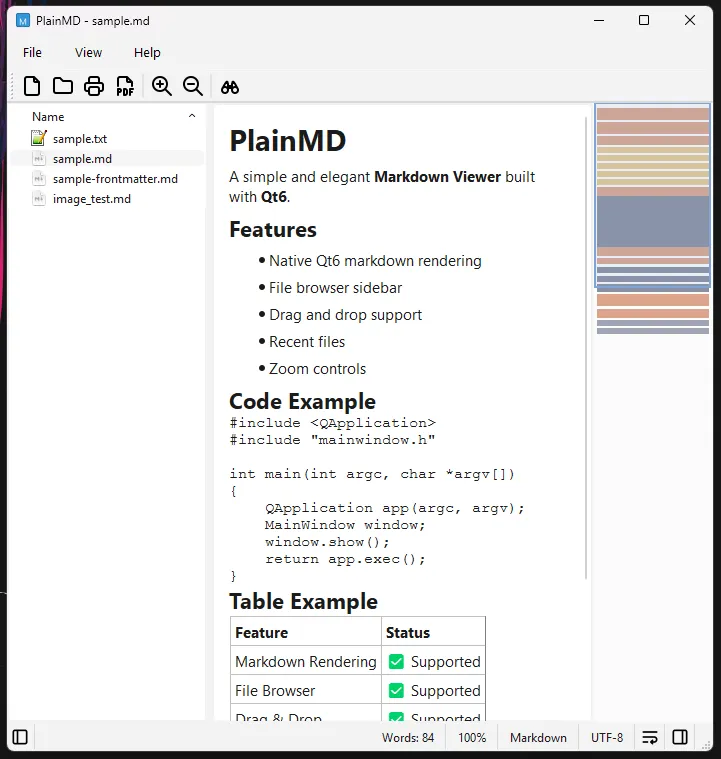
PlainMD is a simple and elegant Markdown Viewer built with Qt6.
PlainMD is partially vibe-coded with OpenCode: Kimi K2.5 Turbo / Kimi K2.6 Turbo 🤖
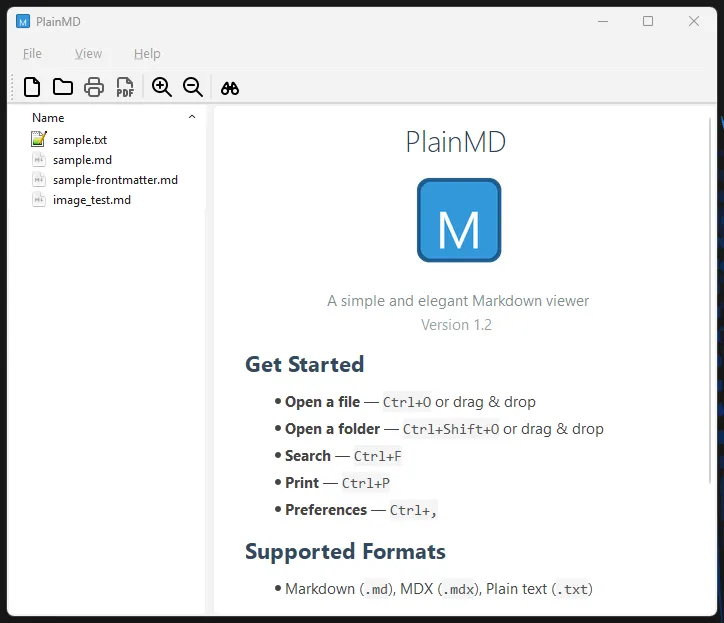
It provides fast, native rendering of Markdown files without external dependencies. The application features a file browser sidebar for easy navigation, supports multiple formats (Markdown, MDX, and plain text), and includes convenient features like drag-and-drop support, recent files/folders tracking, auto-reload on file changes, and export to PDF.
This project is developed with Qt 6.x (Qt 6.9.3 at the time of writing).
ℹ️
The deb/AppImage files are linked with Qt 6.4.2 (System-Qt) on Linux Mint 22.3.
❗ Build Requirements
- Windows
- Microsoft Visual Studio 2022
- Qt SDK 6.9.3 / Qt Creator 19
- Linux
- GCC with C++17 support
- Qt 6 development packages:
qt6-base-dev(Debian/Ubuntu)qt6-qtbase-devel(Fedora/openSUSE)qt6-base(Arch)
- Additional tools for packaging (optional):
dpkg-deb— for.debpackagesflatpak-builder+ KDE Platform 6.7 — for Flatpaklinuxdeploy+linuxdeploy-plugin-qt— for AppImage
🖼️ Screenshots
✨ Features
- Native Qt6 markdown rendering - Fast, native rendering without external dependencies
- File browser sidebar - Browse and open markdown files with a tree view
- Document Outline - Navigate headings hierarchically in the sidebar; click to jump
- Multiple format support - Markdown (.md), MDX (.mdx), and plain text (.txt)
- Drag and drop support - Open files and folders by dragging them into the window
- Recent files & folders - Quick access with separate history and privacy toggles
- Navigation History - Go back/forward through recently viewed files with Alt+← / Alt+→
- Auto-reload on file change - Detects external file modifications and prompts to reload
- Manual Reload (F5) - Unconditionally refresh the current file from disk
- Zen Mode (F11) - Distraction-free reading; hides all chrome, restore with F11 or Escape
- Zoom controls - Zoom in/out with Ctrl++ and Ctrl+-
- Word wrap toggle - Toggle line wrapping with Ctrl+W
- Enhanced Find (Ctrl+F) - Case sensitive, whole words, and regular expression search
- Find Next (F3) - Continue the last search with all options preserved
- Search in Files (Ctrl+Shift+F) - Search across all markdown files in the loaded folder
- Minimap - Document overview with color-coded content types; toggle with F10
- Print & Export - Print to physical printer or export directly to PDF
- Export to HTML - Simple HTML or self-contained HTML (images inlined as base64)
- Copy File/Folder Path - Right-click in the sidebar to copy paths or reveal in Explorer
- External editor integration - Open files with your preferred editor
- Privacy options - Toggle external image loading, recent history, and navigation history
- URL tooltips - Hover over links to see resolved absolute paths
- YAML frontmatter display - Shows frontmatter as a code block
- CLI support - Pass a file or folder path as a command-line argument
📥 Downloads
Windows

Linux
💻 Source


🏛️ License
PlainMD
Copyright (C) 2026 BrainByteZ

This program is free software: you can redistribute it and/or modify
it under the terms of the GNU General Public License as published by
the Free Software Foundation, either version 3 of the License.

This program is distributed in the hope that it will be useful,
but WITHOUT ANY WARRANTY; without even the implied warranty of
MERCHANTABILITY or FITNESS FOR A PARTICULAR PURPOSE.  See the
GNU General Public License for more details.

You should have received a copy of the GNU General Public License
along with this program.  If not, see <https://www.gnu.org/licenses/>.

Comments 💬